Biometric Attendance System in Dubai
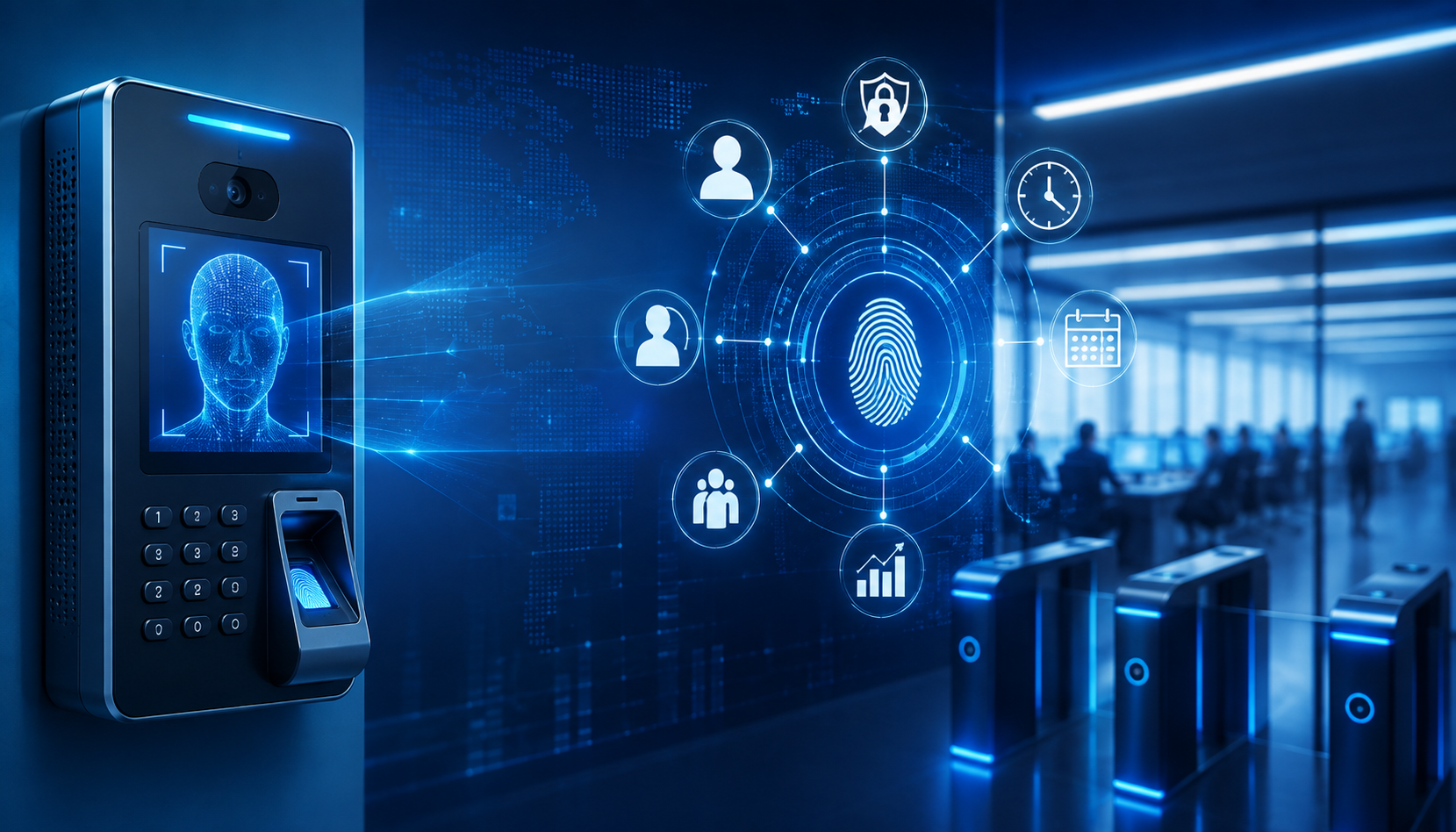
Biometric Attendance System in Dubai
Accurate Employee Time Tracking for Modern Dubai Businesses
Manual registers, shared cards and spreadsheet-based attendance can create missing records, calculation errors and unnecessary work for HR teams. A reliable biometric attendance system in Dubai verifies each employee through a registered fingerprint, face or another assigned credential before recording their clock-in and clock-out time.
FutureMindIT provides biometric time attendance solutions for offices, retail stores, warehouses, construction sites, healthcare facilities, hotels, educational institutions and multi-branch businesses across Dubai. Depending on the workplace, the solution can use fingerprint verification, face recognition, RFID cards, PIN credentials or a hybrid method.
Our service includes requirement assessment, device selection, attendance machine installation, network and software configuration, employee enrolment, reporting setup, administrator training and technical support. The objective is to give managers and HR teams accurate attendance information without making the daily check-in process difficult for employees.
Request a Free Attendance System Consultation
Get a Custom Quote
What Is a Biometric Attendance System?
A biometric attendance system records employee working-time events after verifying identity through a physical characteristic such as a fingerprint or face. Each registered employee has an individual profile. When the employee checks in or out, the device compares the presented biometric data with the authorized template and records the event against the correct employee.
The attendance data can then be viewed through supported software. Depending on the selected platform, administrators may be able to review daily presence, late arrivals, early departures, absences, overtime and shift-based reports. Data may be stored on a local system, synchronized with a server or managed through a supported cloud platform.
Unlike a manual register, biometric verification reduces the possibility of one employee marking attendance for another. It also gives the business structured records that can be reviewed before attendance data is sent to HR or payroll processes.
Problems a Time Attendance System Can Solve
Attendance issues rarely come from one large failure. They usually appear as repeated small problems: a missed punch, an unreadable handwritten entry, an employee using another person's card, a shift that was configured incorrectly or an overtime record that must be checked manually.
A properly implemented time attendance system in Dubai can help businesses:
-
Replace paper registers and repeated spreadsheet entry
-
Verify that the registered employee is physically present
-
Reduce buddy punching and shared-credential attendance
-
Record check-in and check-out events consistently
-
Monitor late arrivals, early departures and absences
-
Apply different schedules for departments or shifts
-
Review overtime records before approval
-
Generate daily, weekly and monthly attendance reports
-
Centralize records from supported branches or locations
-
Export or integrate attendance data with supported HR and payroll platforms
-
Reduce administrative time spent consolidating attendance information
The system should support the organization's attendance policy rather than attempting to define it. Working hours, grace periods, breaks, overtime approval and absence rules must be confirmed by the business before configuration.
Our Biometric Time Attendance Solutions
The right device depends on employee count, workplace conditions, shift patterns, reporting needs and the way employees perform their work. FutureMindIT assesses these factors before recommending a solution.
Fingerprint Attendance System
A fingerprint attendance system in Dubai records attendance after matching an employee's fingerprint with a registered template. It is a practical choice for many offices, retail locations, schools and indoor workplaces where employees can use a fixed terminal when starting and ending work.
Fingerprint verification reduces credential sharing because the employee must be present. It can also offer a simple enrolment and check-in experience when the reader suits the workplace environment.
However, fingerprint technology is not ideal for every site. Dust, moisture, outdoor exposure, protective gloves or work that affects the fingertips may reduce capture quality. For warehouses, construction environments and industrial teams, these conditions should be evaluated before selecting a fingerprint device.
Face Recognition Attendance System
A face recognition attendance system in Dubai offers contactless employee verification. The registered employee approaches the terminal, the camera captures the face and the device records attendance after a successful match.
Face recognition can suit corporate offices, healthcare environments, hospitality, schools and high-traffic entrances where employees need a fast, touch-free check-in process. Device placement, camera angle, lighting and the number of employees arriving at the same time can affect performance.
Capabilities such as liveness detection, anti-spoofing, low-light recognition and matching speed vary by model. These features should be confirmed during product selection instead of being assumed for every face recognition machine.
RFID Card, PIN and Hybrid Attendance
Some workplaces need an alternative to biometrics or prefer to combine several methods. RFID cards provide quick attendance marking, while a PIN can act as a secondary credential. A hybrid terminal may support fingerprint, face, card and PIN in the same device.
This flexibility helps businesses choose different methods for different employee groups. Office staff may use fingerprints, site workers may use face recognition and temporary personnel may receive time-limited cards. If a card-only method is used, the business should consider how it will prevent employees from sharing cards.
Cloud-Based Attendance Management
A cloud attendance system in Dubai can give authorized managers access to attendance information from supported browsers or mobile devices. It may be useful for companies with multiple branches, distributed HR teams or managers who need consolidated visibility without connecting directly to every terminal.
Depending on the platform, cloud attendance management may support real-time synchronization, branch-level dashboards, alerts, report downloads, employee profiles and centralized rule configuration. The business should confirm hosting location, user permissions, backup arrangements, data retention and connectivity requirements before deployment.
Local Server and Web-Based Attendance
Some organizations prefer to keep attendance software and data within their own IT environment. A local or web-based deployment can provide internal control, but it also requires suitable server capacity, backups, network configuration, software maintenance and restricted administrator access.
FutureMindIT can review whether a local, cloud or hybrid approach better matches the organization's IT policy and operating requirements. Businesses that need broader infrastructure planning can also explore our Infrastructure and Cloud Solutions in Dubai.
Multi-Branch Attendance System
Managing attendance separately at every branch creates repeated work and inconsistent reporting. A supported multi-location platform can synchronize employee records and attendance events into a centralized dashboard.
HR teams may then review results by company, branch, department, shift or employee. The exact capacity, synchronization process, licensing and offline behaviour depend on the selected solution and must be confirmed during design.
Key Features of an Employee Attendance System
Available features differ between products, but a well-planned employee attendance system in Dubai may support:
-
Fingerprint, face, RFID or PIN verification
-
Employee enrolment and profile management
-
Check-in and check-out recording
-
Multiple shifts and rotating schedules
-
Grace periods and attendance rules
-
Late-arrival and early-departure reports
-
Break and overtime recording
-
Holiday and weekly-off calendars
-
Absence and exception reporting
-
Attendance correction approval workflows
-
Daily, weekly and monthly reports
-
Department and branch-based views
-
Employee self-service on supported platforms
-
Mobile access for authorized administrators
-
Local server, web or cloud deployment
-
Data export and supported HR or payroll integration
Only features that are actually supported by the selected hardware and software should be promised. The system must be configured around approved business policies and tested using realistic employee schedules before it goes live.
How the Attendance Process Works
1. Employee Enrolment
An authorized administrator creates the employee profile and registers the approved fingerprint, face, card or PIN. Enrolment access should be limited to responsible personnel.
2. Clock-In and Clock-Out
The employee presents the registered credential at the attendance terminal. The device verifies identity and records the event with the date and time.
3. Data Synchronization
Attendance events are transferred to the supported local, server-based or cloud software. If a site temporarily loses connectivity, offline storage and later synchronization depend on the device and platform.
4. Attendance Rule Processing
The software applies configured shifts, grace periods, breaks, holidays and overtime rules. Incorrect rule setup can create incorrect reports, so configuration must be reviewed before deployment.
5. Review and Reporting
Authorized managers review missing punches, exceptions, late arrivals and overtime before exporting or integrating the approved data with HR or payroll processes.
Fingerprint vs Face Recognition Attendance
| Factor | Fingerprint Attendance | Face Recognition Attendance |
|---|---|---|
| Verification | Finger placed on reader | Face captured by camera |
| Contact | Touch-based | Contactless |
| Typical speed | Fast | Fast for suitable high-traffic entrances |
| Best environment | Clean indoor locations | Offices and contactless environments |
| Main consideration | Finger condition and reader cleanliness | Lighting, camera angle and placement |
| Credential sharing | Difficult | Difficult |
| Protective gloves | May create difficulty | Usually more practical, subject to device suitability |
| Device cost | Depends on capacity and features | Depends on recognition and security features |
Neither method is automatically better for every business. A small office may prefer a straightforward fingerprint machine, while a busy corporate entrance may benefit from contactless facial verification. Construction, industrial and outdoor workplaces need additional consideration because dust, lighting, equipment and network availability can influence performance.
Biometric Attendance vs Biometric Access Control
Attendance and access control solve related but different problems.
A biometric attendance system records when an employee clocks in or out and applies workforce rules such as shifts, grace periods, breaks and overtime. A biometric access control system decides whether a person may open a particular door at a particular time.
Some devices can support both functions, but the software configuration and reporting requirements are different. A door entry event should not automatically be treated as paid working time. Businesses that need to secure doors, server rooms or restricted areas should review our biometric access control system in Dubai.
Where supported, attendance and access control can be integrated so the business maintains a connected security and workforce environment without mixing the purpose of each system.
Attendance Solutions for Different Industries
Corporate Offices
Track standard, flexible and department-based schedules while giving HR teams clear reports on late arrivals, absences and overtime exceptions.
Retail Stores and Multi-Branch Businesses
Centralize attendance across stores, monitor different shifts and compare attendance information by branch or department where supported.
Warehouses and Logistics
Manage rotating shifts, early starts, overtime and large employee groups. Device selection should account for dust, work conditions and peak check-in traffic.
Construction and Project Sites
Record site-worker attendance and consolidate information across supported project locations. Face, card or hybrid verification may be more suitable where gloves or site conditions affect fingerprint capture.
Healthcare Facilities
Use contactless attendance for staff working across rotating shifts, while maintaining restricted administration and reliable exception reporting.
Hotels and Hospitality
Manage continuous operations, department schedules, split shifts and weekly rotations through defined attendance rules.
Schools and Educational Institutions
Record teaching and administrative staff attendance, generate periodic reports and manage different schedules for employee groups.
Manufacturing and Industrial Sites
Track shift-based teams, overtime and attendance exceptions. Hardware selection must consider site conditions, safety equipment and employee flow.
HR, Payroll and Reporting Integration
Attendance records become useful when HR can review them and transfer approved information into existing processes without repeated manual entry. Depending on compatibility, supported attendance platforms may export reports or integrate with HR, ERP or payroll software.
Integration requirements should be defined before purchasing the device. Important questions include:
-
Which employee identifier is shared between the systems?
-
What fields must be exported or synchronized?
-
Who approves missing punches and attendance corrections?
-
How are shifts, breaks, leave and overtime represented?
-
Is direct integration available, or is a scheduled file export required?
-
Who is responsible for checking results before payroll processing?
-
Are specific payroll or WPS reporting formats required and supported?
FutureMindIT can assist with technical configuration and supported integration planning. The customer remains responsible for approving attendance policies, payroll rules and final salary calculations. For ongoing infrastructure and user assistance, see our IT Support Services in Dubai.
Biometric Data Security and Privacy
Biometric templates and employee attendance records relate to identifiable individuals and require controlled handling. Organizations should define why the data is collected, who can enrol employees, which administrators can view or export records, how long information is retained and what happens when an employee leaves.
The technical setup should use restricted administrator roles, secure credentials, supported encryption and appropriate backup controls. Businesses must review applicable UAE data-protection requirements and any additional obligations for their industry or jurisdiction.
FutureMindIT can configure technical controls around the customer's approved policy. The organization remains responsible for lawful processing, employee notices, retention periods, internal approvals and legal or compliance decisions.
Our Attendance System Installation Process
Step 1: Requirement Assessment
We review employee count, locations, shift patterns, current attendance method, reporting needs and required integrations.
Step 2: Site and Network Review
The assessment checks terminal location, power, LAN or Wi-Fi availability, employee flow, environmental conditions and software deployment requirements.
Step 3: Solution Recommendation
FutureMindIT recommends fingerprint, face, RFID, PIN or hybrid verification together with suitable local, server-based or cloud management.
Step 4: Device Installation and Configuration
The attendance machine is installed, connected and configured with the required date, time, network, software and administrative settings.
Step 5: Employee Enrolment and Rule Setup
Authorized employees are enrolled, and approved shifts, grace periods, holidays and reporting rules are configured.
Step 6: Testing and Administrator Training
Clock-in, clock-out, synchronization and reporting are tested using realistic scenarios. Administrators learn to enrol users, review exceptions, generate reports and handle common issues.
Step 7: Technical Support
FutureMindIT can assist with device, synchronization and software issues as employee numbers, branches and reporting requirements change.
Biometric Attendance System Price in Dubai
The price of a biometric attendance machine in Dubai depends on more than the terminal. A simple device for one office has different requirements from a cloud-connected multi-branch solution with HR integration.
Cost factors include:
-
Fingerprint, face, card, PIN or hybrid verification
-
Number of employees and stored templates
-
Number of devices and branches
-
Device speed and event-log capacity
-
Local, web-based or cloud software
-
Network, cabling and power requirements
-
Reporting and shift-management features
-
HR, ERP or payroll integration
-
Licensing or subscription requirements
-
Installation, enrolment, training and support
FutureMindIT provides a customized quotation after reviewing the workforce, locations and reporting needs. This allows the business to compare a complete working solution instead of selecting a device only because it has the lowest advertised price.
Why Choose FutureMindIT?
A successful attendance project requires suitable hardware, accurate rules, dependable synchronization and reports that HR can understand. FutureMindIT delivers the complete implementation rather than treating the project as a standalone device sale.
Businesses work with us for:
-
Requirement-based consultation before device selection
-
Fingerprint, face recognition, RFID, PIN and hybrid options
-
Local, server-based and supported cloud deployment
-
Single-office and multi-branch solution planning
-
Attendance machine installation and network configuration
-
Shift, rule and report setup based on approved requirements
-
Supported HR and payroll integration assistance
-
Employee enrolment and administrator training
-
Ongoing technical support
-
Coordination with the customer's wider IT environment
Explore all FutureMindIT technology services or learn how smart technology helps businesses scale securely.
Improve Attendance Management with FutureMindIT
Replace manual records and repeated spreadsheet work with an attendance system designed around your employees, shifts and reporting needs. FutureMindIT can assess your workplace, recommend a suitable fingerprint, face, RFID or hybrid solution and complete the installation and configuration.
Whether you need one attendance machine for a small office or centralized reporting across several branches, our team can help create a practical solution that HR and employees can use confidently.
Frequently Asked Questions
Which biometric attendance system is best for an office in Dubai?
The best option depends on employee count, arrival traffic, workplace conditions, reporting requirements and budget. Fingerprint devices suit many indoor offices, while face recognition may be better where contactless, fast verification is preferred.
Is fingerprint attendance better than face recognition?
Neither is better for every workplace. Fingerprint systems are practical and familiar, but finger condition, dust or gloves can affect capture. Face recognition is contactless, but lighting, camera placement and device capabilities must be considered.
Can a biometric attendance system integrate with payroll software?
Supported systems may export data or integrate with HR and payroll platforms. Compatibility, required fields, approval workflows and reporting formats should be confirmed before selecting the device and software.
Can attendance be managed across multiple branches?
Yes, supported cloud or centralized platforms can consolidate attendance from several locations. Capacity, licenses, internet requirements and synchronization behaviour depend on the selected solution.
Does a biometric attendance machine require internet access?
Many devices can record events locally, but cloud synchronization, remote management and real-time dashboards require connectivity. Offline storage and later synchronization vary by model.
Can the same device manage attendance and door access?
Some devices support both. However, attendance rules and door permissions must be configured separately because clocking in and receiving access are different business processes.
How long does attendance machine installation take?
Timing depends on the number of devices, locations, network readiness, employee enrolment, attendance rules and integrations. A requirement and site assessment is needed before confirming the schedule.
Can the system calculate overtime and late arrivals?
Supported software can process overtime, lateness, early departures and shifts after the organization's rules are configured. HR should review exceptions before using the data for payroll.
Is a biometric attendance system suitable for a small business?
Yes. A small office can begin with one suitable device and essential reporting. The solution should match actual employee count and needs rather than including unnecessary enterprise features.
Do you provide installation and support in Dubai?
FutureMindIT provides consultation, device installation, software configuration, employee enrolment, administrator training and technical support for biometric attendance requirements in Dubai.