Blog Details
09 Mar, 2026
What Are the Benefits of Smart CCTV Systems for Businesses?
A security camera becomes valuable when it helps a business notice, understand and respond to an incident. Recording footage alone may provide evidence after something happens, but modern smart CCTV systems can offer real-time alerts, remote access and intelligent search features that help businesses act sooner.
For offices, retail stores, warehouses, restaurants and other commercial properties, smart CCTV can improve security visibility across entrances, customer areas, stock rooms, parking spaces and restricted zones. The system can also make recorded footage easier to manage, especially when a business operates across multiple locations.
However, obtaining these benefits depends on more than purchasing high-resolution cameras. Camera placement, storage capacity, network security, access permissions and ongoing maintenance all affect the reliability of the final system.
What Is a Smart CCTV System?
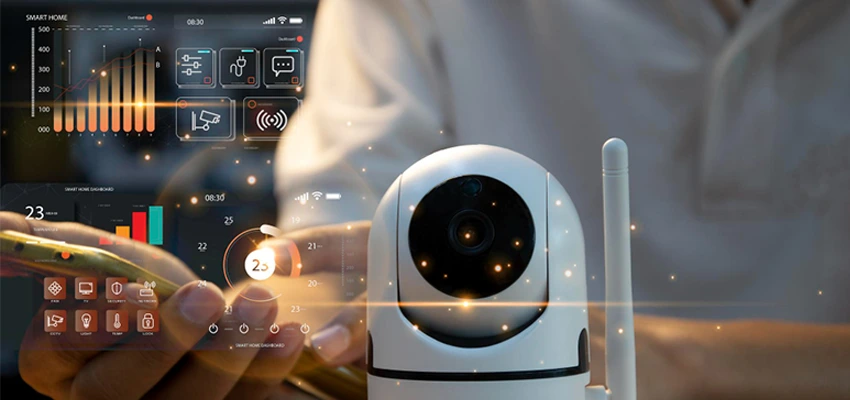
A smart CCTV system combines network-connected cameras with video management software, recording equipment and selected analytics features.
Depending on the hardware and software being used, a smart system may include:
-
Motion and intrusion detection
-
Real-time security notifications
-
Remote viewing through authorised devices
-
People or vehicle detection
-
Line-crossing and restricted-area alerts
-
Low-light or night-vision recording
-
Intelligent video search
-
Number plate recognition
-
Local or cloud-connected video storage
-
Integration with alarms and access-control systems
-
Camera health and storage notifications
Not every camera described as “smart” includes all these functions. Businesses should select features based on genuine security risks rather than paying for analytics they are unlikely to use.
1. Earlier Detection of Suspicious Activity
Traditional CCTV normally requires someone to watch the screen continuously or review the recording after an incident. Smart CCTV can analyse selected areas and generate alerts when predefined conditions are detected.
For example, a system may notify an authorised employee when:
-
Movement is detected in a restricted area
-
Someone enters a location outside approved hours
-
A person crosses a virtual boundary
-
A vehicle remains in a sensitive area
-
An object is left in or removed from a monitored zone
-
A camera loses connection or changes position
This does not mean that every alert represents a genuine threat. Weather, lighting changes, reflections or normal employee activity may produce false notifications. Proper configuration and testing are necessary to ensure the alerts remain useful.
2. Faster Response to Security Incidents
Real-time alerts allow security personnel or business managers to assess an event without waiting for someone at the location to report it.
When authorised users can view the relevant camera securely, they can determine whether the situation requires an onsite response, contact with the property team or escalation to the appropriate authorities.
Faster access to accurate information can also help prevent unnecessary reactions. Instead of responding to a general alarm without context, the responsible person can review what triggered it and take a more informed next step.
CCTV should form part of a documented incident-response process. The business should clearly define who receives alerts, who reviews footage and what actions are permitted.
3. Clearer Video Evidence
High-quality footage can help a business understand the sequence of events surrounding theft, property damage, unauthorised access, safety incidents or customer disputes.
A properly designed system should provide:
-
Suitable image resolution for the monitored area
-
Accurate timestamps
-
Adequate coverage without significant blind spots
-
Sufficient lighting or appropriate low-light capability
-
Secure recording and export options
-
An audit trail showing who accessed or exported footage
Camera resolution alone does not guarantee useful evidence. A high-resolution camera installed at an unsuitable height or angle may still fail to capture the details required.
The camera lens, field of view, lighting conditions and expected subject distance should therefore be considered during system design.
4. Secure Remote Monitoring
Remote access is valuable for owners and managers who need visibility across their business locations without being physically present at each site.
Depending on the platform and permissions, authorised users may be able to:
-
View live camera feeds
-
Review recorded footage
-
Receive incident notifications
-
Check whether cameras are online
-
Search recordings by time or detected event
-
Monitor multiple branches through one dashboard
Remote access must be protected carefully. Weak passwords, shared administrator accounts and outdated camera firmware can expose the surveillance system to unauthorised access.
Businesses should use individual user accounts, strong authentication, appropriate access permissions and regular updates. Network-connected CCTV should also be included in the company’s wider cybersecurity planning.
5. Easier Multi-Location Management
Businesses with several branches, warehouses or offices may struggle when each site uses a separate recording platform and different security procedures.
A centrally managed CCTV system can provide a more consistent view across locations. Authorised teams may be able to monitor system status, review incidents and apply access policies from a common interface.
Centralisation can help businesses:
-
Maintain consistent camera naming and layouts
-
Identify offline cameras more quickly
-
Review incidents across different locations
-
Control who can access specific sites
-
Apply standard retention and export procedures
-
Plan future system expansion more easily
The system should still restrict users to the locations and footage required for their responsibilities. Centralised access should not mean that every employee can view every camera.
6. Improved Safety Visibility
Smart CCTV can support workplace safety by helping organisations monitor areas where accidents or unsafe conditions may occur.
Depending on the environment, cameras may be used around:
-
Loading and unloading zones
-
Warehouse aisles
-
Vehicle entrances
-
Stairways and corridors
-
Reception areas
-
Machinery exclusion zones
-
Emergency exits
-
Parking areas
Recorded footage can help a business investigate an incident and identify whether physical layouts, procedures or training need improvement.
CCTV should support workplace safety measures rather than replace them. Appropriate supervision, equipment maintenance, employee training and documented safety procedures remain essential.
7. More Efficient Video Review
Searching traditional CCTV recordings can take considerable time because someone may need to watch long sections of footage manually.
Smart video management systems can make this process more efficient by allowing authorised users to filter recordings according to:
-
Time and date
-
Camera location
-
Motion events
-
People or vehicle detection
-
Entry into a defined area
-
Selected visual characteristics supported by the system
These tools can help narrow a search, but the results should still be reviewed by a person. Video analytics may miss an event or classify an object incorrectly, particularly when lighting, weather or visibility is poor.
8. Useful Operational Insights
CCTV analytics may also provide limited operational information when used responsibly.
For example, a retailer may analyse general visitor movement to understand which entrances or areas become busiest. A warehouse may review vehicle flow around loading zones. An office may identify congestion near reception or access points.
These observations can support decisions involving:
-
Staff allocation
-
Queue management
-
Store or workspace layout
-
Loading schedules
-
Entrance and exit planning
-
Customer-flow improvements
Businesses should have a legitimate purpose for collecting and analysing footage. Surveillance should not become excessive monitoring of employees or customers, and access to analytics should be controlled appropriately.
9. Integration with Other Security Systems
A smart CCTV system can sometimes be integrated with alarms, intercoms and access-control systems.
For example:
-
An access-control event may display the associated camera.
-
An alarm may open the relevant live video feed.
-
A door-forced-open event may create a video bookmark.
-
An after-hours motion alert may notify the responsible security contact.
-
An incident report may include footage from several cameras.
Integration can improve situational awareness, but it also makes system design more complex. Devices, software versions and communication protocols must be compatible. The business should also understand how the connected systems will operate if the network or internet connection becomes unavailable.
10. Scalable Security for Growing Businesses
A well-planned IP-based CCTV system can be expanded when a company opens a new area or location.
Before choosing a platform, businesses should consider:
-
The maximum number of supported cameras
-
Network bandwidth requirements
-
Recording-server capacity
-
Video storage requirements
-
Software or channel licensing
-
User and location management
-
Integration compatibility
-
Remote monitoring requirements
Planning for future expansion can reduce the need to replace the entire system later. However, unnecessary capacity can increase the initial cost, so scalability should be based on realistic business plans.
Local Recording, Cloud Storage or a Hybrid System?
Businesses commonly choose between local recording, cloud-connected storage or a combination of both.
Local recording
Footage is stored at the business premises using a network video recorder or recording server. This can provide direct control and may continue recording if the internet connection fails. The recorder must still be protected against theft, damage and unauthorised access.
Cloud-connected storage
Footage or selected events are transferred to a hosted platform. This can simplify remote access and protect recordings from an incident affecting the local recorder. Internet bandwidth, subscription costs and data governance must be considered.
Hybrid recording
A hybrid configuration stores footage locally while maintaining selected recordings, events or backups remotely. This can provide additional resilience, depending on how the system is configured.
There is no single storage method suitable for every business. The decision should consider camera count, recording quality, retention period, internet reliability, recovery needs and applicable data requirements.
Cybersecurity Risks of Smart CCTV
Because smart cameras and recorders connect to business networks, they must be treated as IT assets rather than isolated security devices.
Common risks include:
-
Default usernames and passwords
-
Unsupported or outdated firmware
-
Unnecessary remote-access services
-
Shared administrator accounts
-
Cameras connected directly to the public internet
-
Poorly configured mobile applications
-
Excessive user permissions
-
Lack of access and export logs
A secure deployment should include strong credentials, firmware management, restricted user access, appropriate network segmentation and monitoring for device failures or unusual activity.
Businesses should also define what happens when an employee with camera access changes roles or leaves the organisation.
Privacy and Security Requirements in Dubai
CCTV planning should consider privacy, security, retention and access requirements from the beginning.
Dubai’s Security Industry Regulatory Agency provides processes for security system certification and security plan certification. The exact requirements can depend on the type of business activity, facility and building.
Video footage may also contain personal data. The UAE Government explains that the Personal Data Protection Law establishes controls for processing personal data and obligations concerning confidentiality and privacy. Businesses can review the official UAE data-protection guidance and obtain qualified local advice for their specific situation.
Practical considerations include:
-
Avoiding cameras in areas where privacy is reasonably expected
-
Limiting access to authorised individuals
-
Protecting stored and exported footage
-
Establishing an appropriate retention period
-
Recording who views or exports footage
-
Using appropriate notices where required
-
Confirming applicable approval and installation requirements
This article provides general information and should not be treated as legal or regulatory advice.
How to Choose the Right Smart CCTV System
Before requesting quotations, businesses should complete a basic security assessment.
Identify what needs protection
List important entrances, restricted areas, equipment, stock, customer areas and external spaces. Each location may require a different camera type or viewing angle.
Define the purpose of each camera
A camera used to observe general activity has different requirements from one expected to identify a person or vehicle.
Review lighting conditions
Entrances, windows, outdoor spaces and low-light areas can create difficult recording conditions. The selected cameras should be tested for the actual environment.
Calculate storage requirements
Storage depends on the number of cameras, resolution, frame rate, recording schedule, compression and retention period.
Decide who needs access
Create individual accounts and provide only the access required for each role. Avoid sharing one administrator account among several employees.
Plan maintenance
The system should be checked periodically for camera alignment, recording performance, storage health, time accuracy and firmware updates.
Request proper documentation
The installer should provide a camera layout, device list, recording settings, administrator details, warranty information and basic operating instructions.
Choosing a CCTV Installation Provider in Dubai
A professional provider should begin by understanding the site and its security risks rather than immediately recommending a fixed number of cameras.
When comparing providers, ask:
-
Will a site assessment be completed?
-
How will camera positions and blind spots be planned?
-
Are the proposed cameras suitable for the lighting and distance?
-
How many days of footage will the system store?
-
Who will configure remote access and user permissions?
-
What happens if a camera or recorder fails?
-
Are maintenance and support available?
-
Will system documentation and administrator access be provided?
-
Can the provider explain applicable approval requirements?
-
Can the system expand if the business grows?
FutureMindIT provides CCTV surveillance services in Dubai, including system planning, camera installation, remote access configuration and ongoing technical support.
Frequently Asked Questions
What makes a CCTV system smart?
A smart CCTV system combines cameras with features such as real-time alerts, remote access, event detection, video analytics and intelligent recording search. Available features vary according to the camera and management platform.
Can smart CCTV prevent theft?
CCTV can discourage some activity, improve detection and provide evidence. It cannot guarantee that theft or other incidents will never occur. Physical security, access control and appropriate response procedures are also necessary.
Can business owners view CCTV remotely?
Yes, many modern systems support secure remote viewing. Access should use individual accounts, strong authentication and restricted permissions instead of shared passwords.
How long should a business keep CCTV footage?
The appropriate retention period depends on the business, system purpose, storage capacity and applicable requirements. Businesses should confirm current legal and regulatory obligations for their specific activity and location.
Does AI CCTV always identify incidents correctly?
No. Video analytics can produce false alerts or miss events because of lighting, camera angle, weather, obstruction or configuration. Human review remains important.
How often should a CCTV system be maintained?
The appropriate maintenance schedule depends on the environment and system importance. Businesses should regularly verify camera views, recording, storage, timestamps, remote access and device health.
Can existing CCTV cameras be upgraded?
Some existing cameras may work with a new recorder or video management platform, while older analogue or unsupported devices may need replacement. Compatibility, resolution and security should be assessed before deciding.
Using Smart CCTV More Effectively
The main benefit of smart CCTV is not simply having more cameras. It is having a properly designed system that provides useful alerts, reliable recordings and controlled access to the right people.
Real-time monitoring, intelligent search, remote access and system integration can improve security awareness and make incident investigations more efficient. These benefits depend on appropriate camera placement, secure network configuration, suitable storage and ongoing maintenance.
Businesses planning a new system or upgrading an existing installation can contact FutureMindIT for a site assessment and CCTV solution designed around their property, risks and operational requirements.